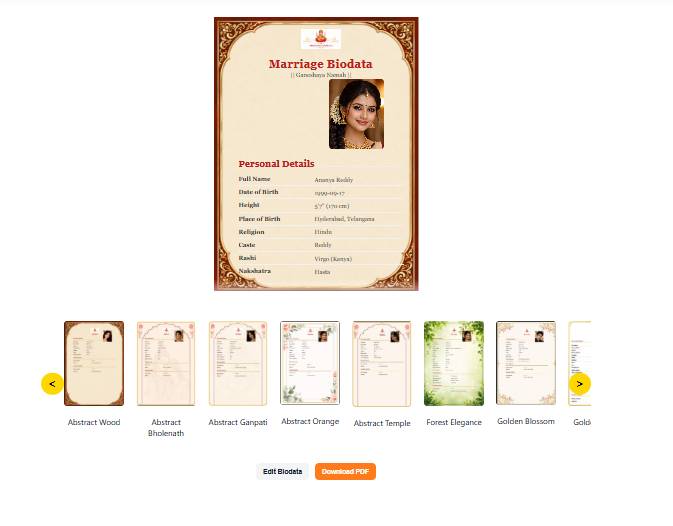
How to Create Marriage Biodata (Step-by-Step Guide)
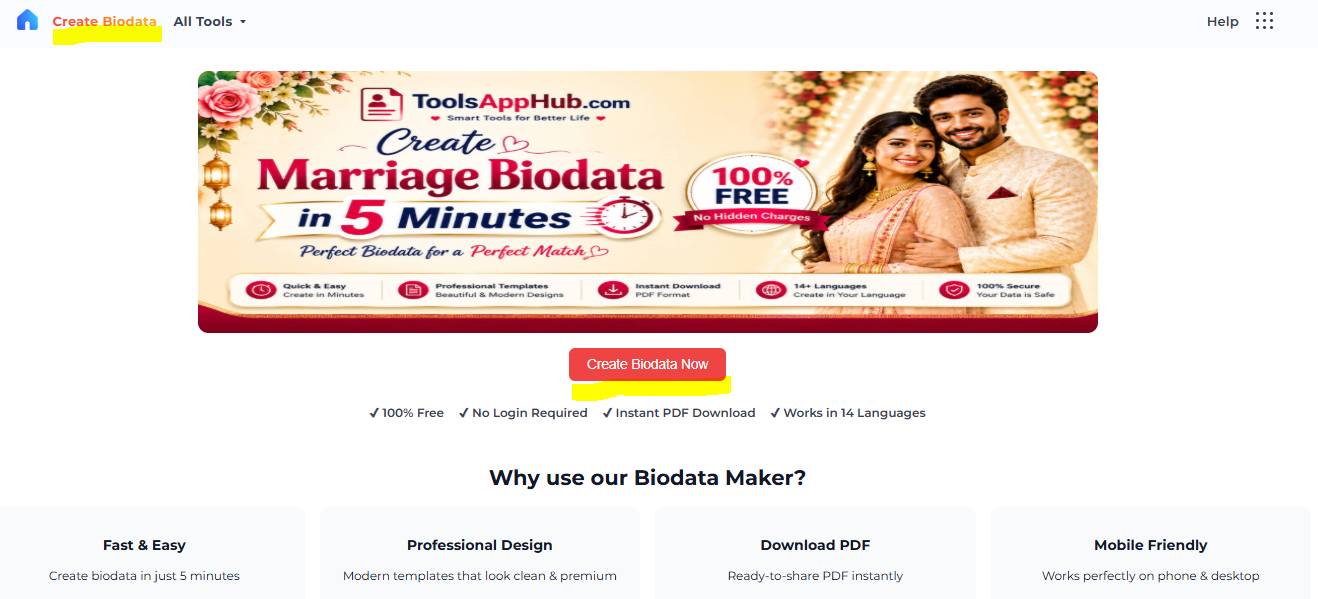
Step 1: Open ToolsAppHub Home Page
Click on "Create Biodata" or click on Create Biodata Now button (highlighted in yellow).
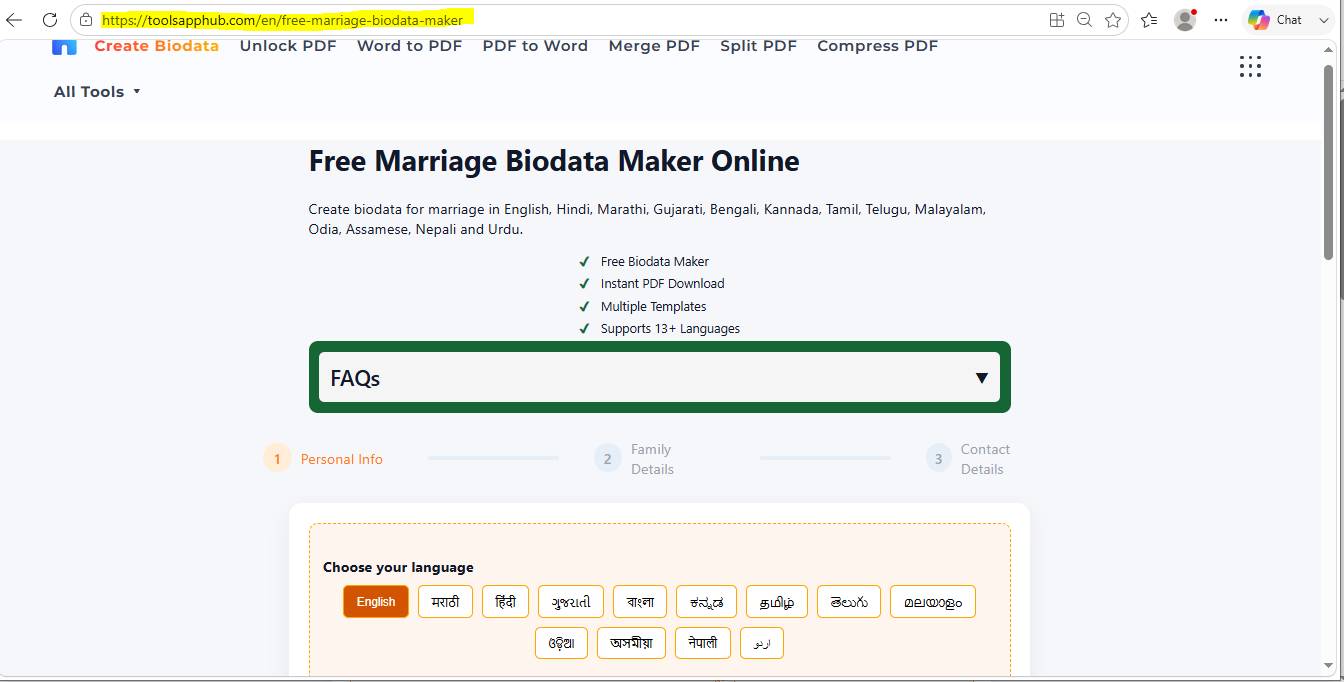
Step 2: Open Biodata Maker Page
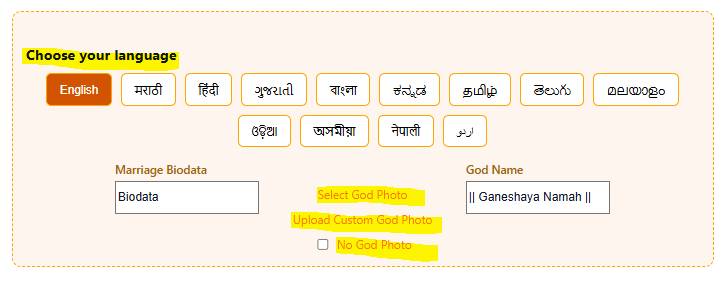
Step 3: Select Language and God Photo or Symbol
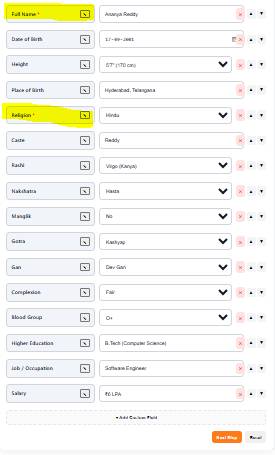
Step 4: Fill in All Required Details
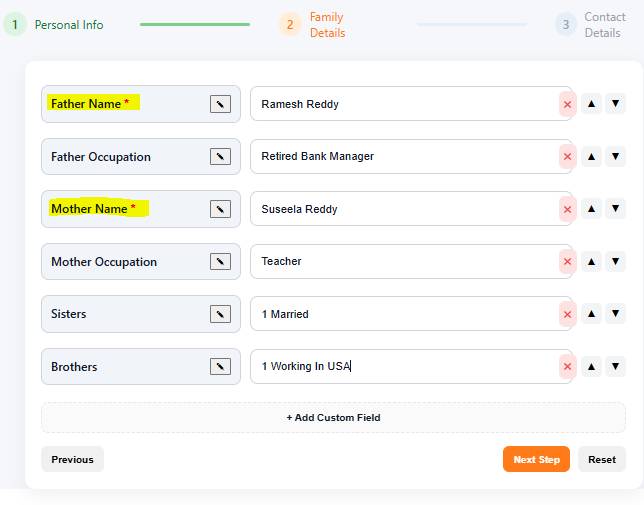
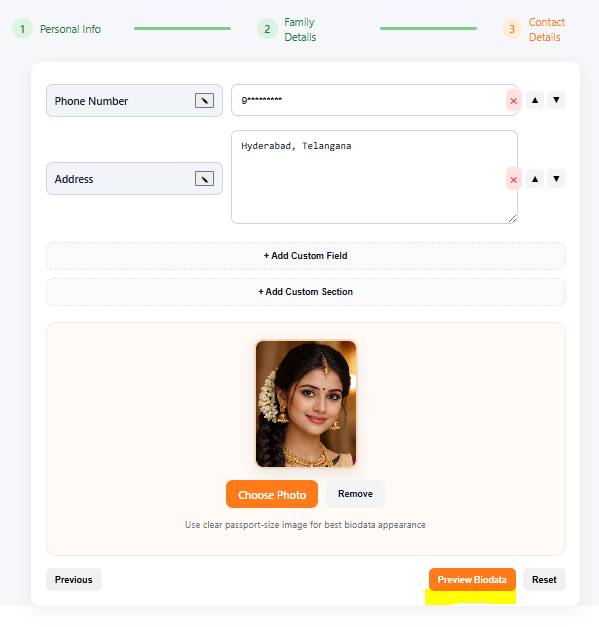
Complete all three sections: Personal Info, Family Details, and Contact Details.

Step 5: Fill Personal Information
Step 6: Fill Family Details
Step 7: Fill Contact Details
After completing all details, click on "Preview Biodata".
Step 8: Download Your Biodata
Click on the "Download PDF" button to download your biodata.